Your night is still your night.
Your day rolls over when your shift does, so a 3 AM check-off counts for the night you’re still working.
Now on the App Store
Habits for odd hours, with Kip alongside you.
iPhone & iPad · iOS 17+Apple Watch optionalFree download · In-app purchases
Start with one habit around your next shift.
For life around odd hours
Nurses, paramedics, carers, police, firefighters, factory, warehouse, security and hospitality staff.
Nights. Rotations. 12-hour shifts.How it works
A short setup guide, ending with “Your shift plan”: what the app will do, two starter habits you can tick, and a name for your companion.
Day, Night, Rest & Recovery or Flexible. Start with the shift you work most.
Typical hours are filled in. Change them to match your roster and choose when your day rolls over.
See what happens next, try two starter habits and choose a name for Kip.
Habits that follow your shift
Plan around the hours you actually work, with room for the days you don’t.
Your day rolls over when your shift does, so a 3 AM check-off counts for the night you’re still working.
Plan patterns like 4 on, 4 off, or photograph a printed roster with Pro.
Habits can be for night shifts, day shifts or rest days only, each with its own streak.
A habit can be a check-off, an amount (like 2.5 L of water) or a limit (like caffeine).
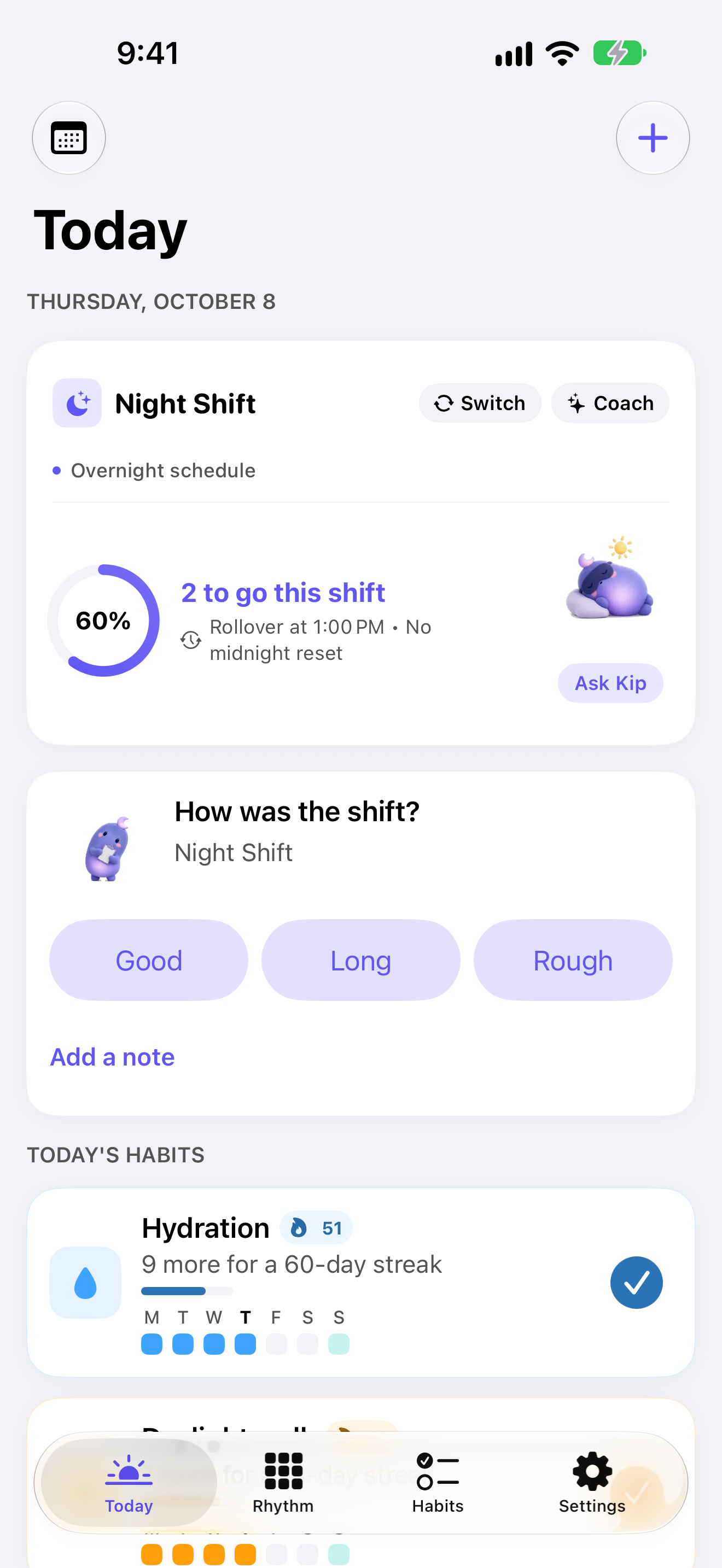
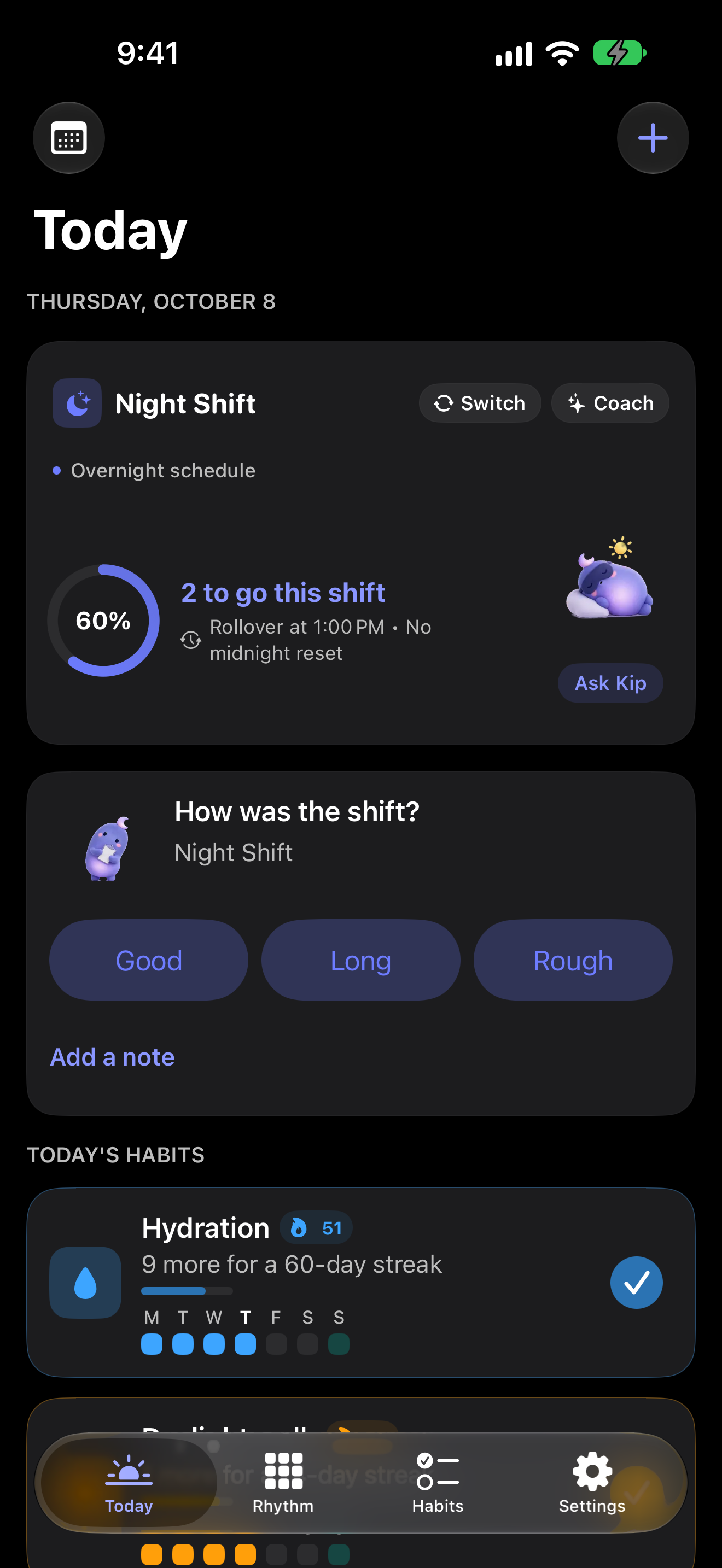
Today shows “2 to go this shift”, says “Ready” before the first check-off, and “Shift complete” at the end.
Reminders follow your roster and skip shifts you’ve already finished.
A heatmap, a weekly recap, and how far it is to your next milestone.
Automatic backups on your iPhone, optional iCloud sync, light and dark mode, in English, Spanish and Brazilian Portuguese.
Meet Kip
Kip is a small, calm purple character on your Today screen. He keeps you company through the shift: a soft glow on nights, a yawn in the last hour, an eye mask after nights with the Sleep Shield on, tea on rest days, a hop when a habit’s done, confetti when the shift is.
Tap him and he reacts, with a light tap you can feel.
Give him any name in setup or Settings, and the app uses it everywhere. Rather not see him? Turn off Settings → Show Kip for rings and ticks instead.
Kip through the shift
Tap, hover or focus. Each moment plays once.
Reduced motion shows stills only.
After each shift
When a shift ends, Kip asks “How was the shift?”: Good, Long or Rough, with an optional note.
After a long or rough shift he offers to quiet your reminders until your next shift and, if it’s off, to turn on the Sleep Shield. Nothing changes until you tap.
Interactive explanation
Choose a check-in to see the next step.
Website demonstration, not an app screen. No entries are saved.
Ask Kip · Optional
Ask about tonight’s sleep, caffeine, your roster or your habits: type, speak or tap a suggestion.
Kip answers in a sentence or two, from your shift, your roster, your habits and the shift coach’s plan.
Everyone gets three free questions. With Pro: questions every day, Kip’s own replies to your check-ins, and a short review of your week.
He can suggest logging a habit, adding one, planning a day, quieting reminders or turning on the Sleep Shield. Each is a button, and nothing happens until you tap it.
Ask Kip stays off until you agree on a screen that says what’s sent. Turn it off at any time. It never sends Apple Health data, habit notes or day notes.
Read what Ask Kip sendsKip isn’t a doctor: for health worries, a doctor knows best. A message about self-harm, a medical emergency or driving while very sleepy gets a safety message on the iPhone and isn’t sent.
Kip everywhere
On the screens you reach for, and in the moments between.
Widgets keep Kip close.
Kip is there with the Live Activity for your shift.
He hops when you check off a habit.
Press and hold a reminder to see him move.
Kip is in Siri’s answers.
Kip is also available as stickers.
Widgets, Live Activity and the Apple Watch app are included with Pro. Pro is an optional in-app purchase.
See ShiftHabit in action
Three short recordings of the app with sample habits. Pick a moment and press Play.
01 / 03 · Actual app recording
Check off Hydration and see today’s progress update. A clear view of what’s done and what’s still ahead for this shift.
Sample habits and history, not customer results.
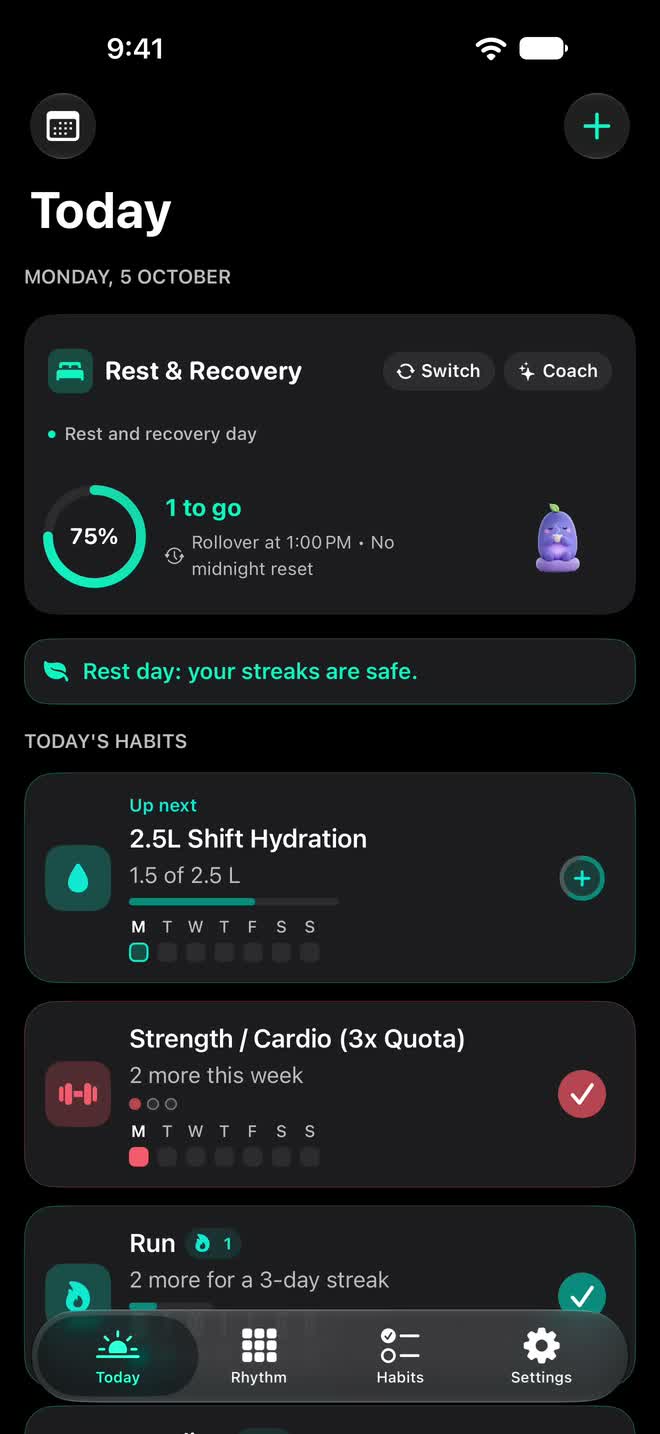
Reduced motion is on. Showing a still; read the steps alongside.
Sample data
Inside the real app
Six real app views, each in light and dark mode. Captured on 9 October with sample habits and history.
01 / 06 · Start with the shift you are working
See your active shift, progress and habits together. Your chosen rollover keeps a late finish in the same waking day.
Sample data
9 October · Light mode capture
Also on Apple Watch
The Apple Watch app includes complications, and Kip hops when you check off a habit.
Apple Watch with watchOS 10 or later is optional. You’ll need a paired iPhone with iOS 17 or later. The Watch app is included with Pro, available as an optional in-app purchase.
A sample check-off on Apple Watch. Not customer results.
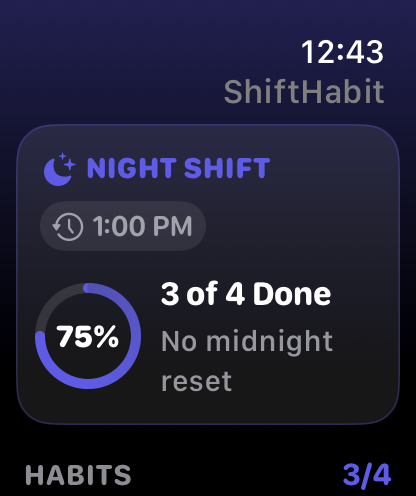
Reduced motion is on. Showing a still; read the steps alongside.
Sample data
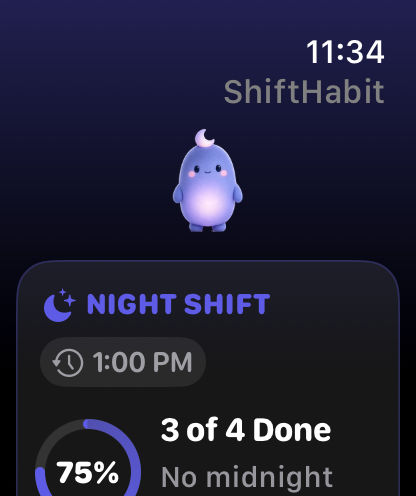
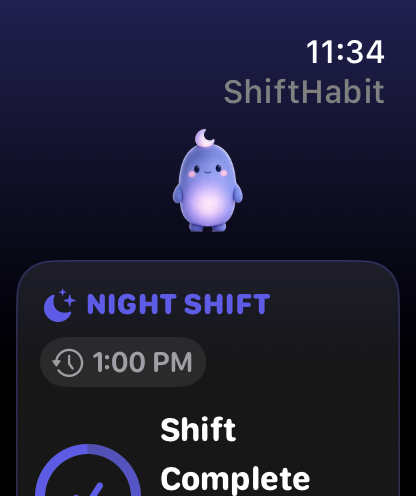
The body clock behind the routine
Circadian rhythms are roughly 24-hour patterns in your body, including the cycle of sleep and wakefulness. Light and darkness are their strongest outside cues.
Changing light. One body clock.
Conceptual illustration, not a sleep schedule.
Work may ask you to stay awake when your body expects sleep. Night and rotating shifts can disrupt the usual sleep–wake pattern.
ShiftHabit lets you organise habits by shift and choose when your tracking day rolls over. A habit logged after midnight can still belong to your previous waking day.
ShiftHabit has light and dark mode. Choose the display that fits your day.
ShiftHabit supports planning and tracking. It does not measure or reset your body clock, and dark mode does not guarantee better sleep.
Read the science: NIH: Circadian rhythmsCDC/NIOSH: Shift work and sleep
Free and Pro
Start with the free app. Pro is available through optional in-app purchases. Check the app for available plans, local prices and trial eligibility.
Free
Pro adds
Your privacy
No account, no ads and no tracking. Your habits stay on your devices, and Ask Kip sends only what a reply needs, after you say yes.
Read the app privacy policyNow on the App Store
Bring one habit into your routine, with Kip alongside you.
Free download · Optional in-app purchases. iPhone and iPad · iOS 17+. Apple Watch optional.
Yes. ShiftHabit is now on the App Store. Download it, set up your shift and start with a habit that fits your routine. The app is free to download, with optional Pro in-app purchases.
An iPhone or iPad with iOS 17 or later. Apple Watch is optional and needs a paired compatible iPhone. Check the App Store listing for device compatibility.
ShiftHabit is free to download. Pro adds optional paid features through in-app purchases. See the app for available plans, local prices and any trial eligibility before purchasing.
No. Ask Kip stays off until you agree on a screen that says what’s sent. You can turn it off at any time. Everyone gets three free questions; Pro includes questions every day, Kip’s own replies to your check-ins and a short review of your week.
Yes. They're screens and recordings of ShiftHabit with sample habits and history, not customer results.
Email jorgevidvorik@gmail.com with what you tried, what you expected and what happened.
Your email is used only for occasional ShiftHabit news, such as new features. You can unsubscribe at any time. The privacy notice explains the data and emails.
Get an occasional email when something new arrives. The app is on the App Store now; signing up is optional.